
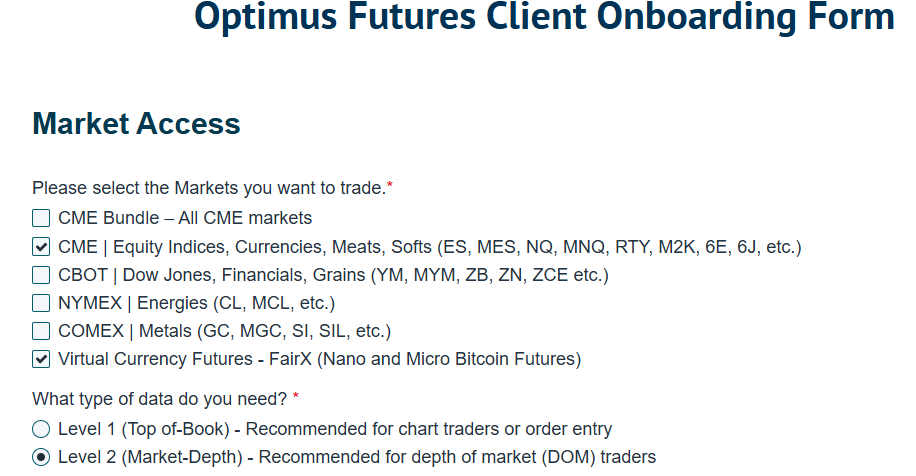
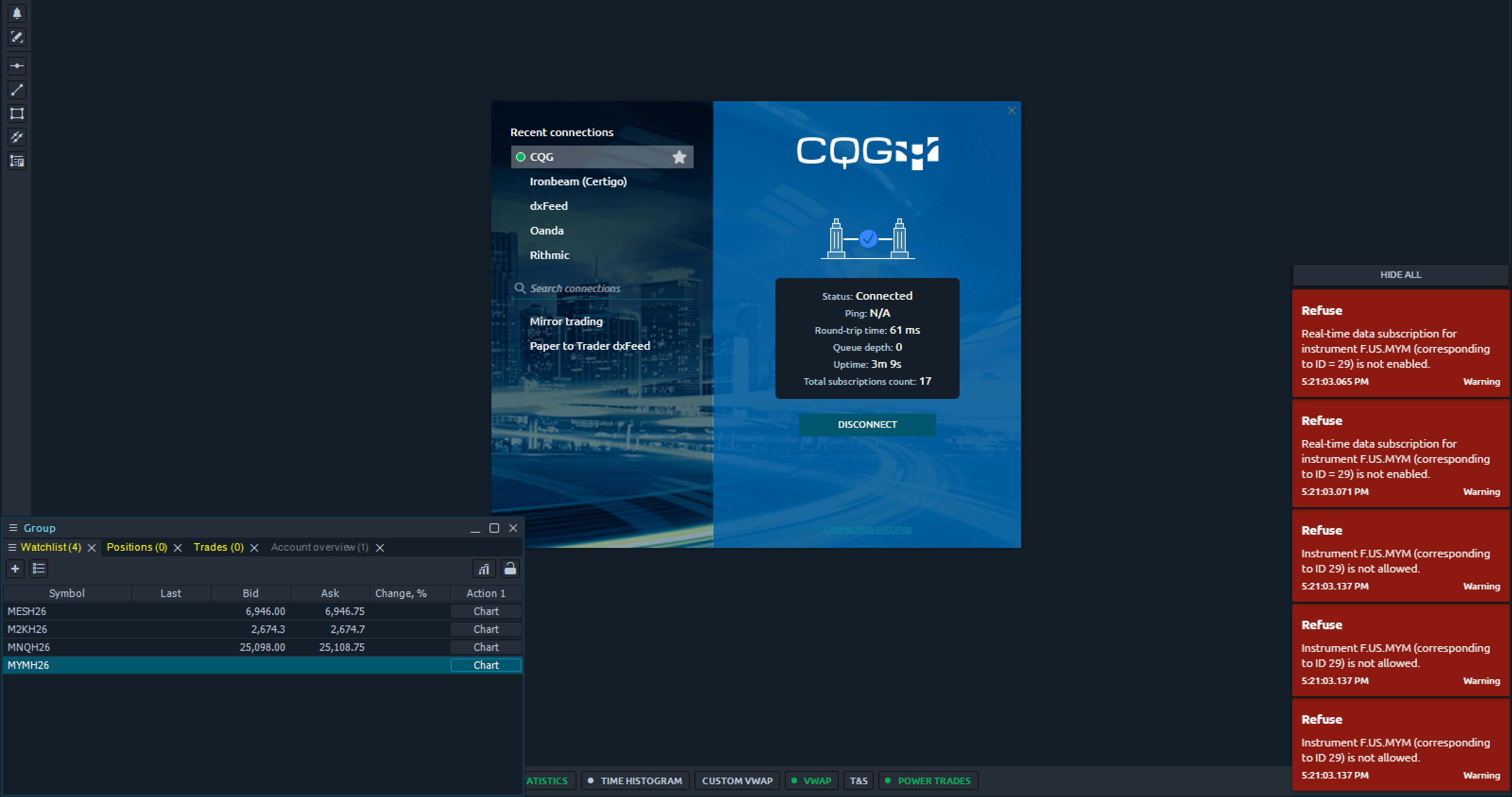
They emailed me that I can trade the following instruments, but when I open them on the platform, they don’t load, both Nano Bitcoin and MYM. I have everything enabled in the connection settings… is it my problem?
2 Likes
@Igors_Obolevics — Thank you for your post.
We will check into this ASAP and get back to you. However, please be aware that we see your login at 5:21 PM, which is right after the close in EDT. If this were Friday, the market would be closed, and the API may simply refuse to connect until the systems cycle back.
I suggest trying this Sunday again at 6 PM EDT (NY Time—please adjust for your local timezone). At that point, the data feeds and order routing should be fully operational for the new week.
If that doesn’t resolve it, we will dig deeper and make it work for you.
Best,
Matt
Optimus Futures
Hello @Igors_Obolevics,
Thanks for your question and for your patience on this matter.
Optimus Flow comes pre-loaded with symbols from our demo data feed. However, once you go live, if you choose a different data feed than what we offer on our demo, you may need to manually change and update the symbol on your workspace.
We can see in your image that you are using the CQG Data feed, so you must manually update the symbols on your workspace to begin receiving live data.
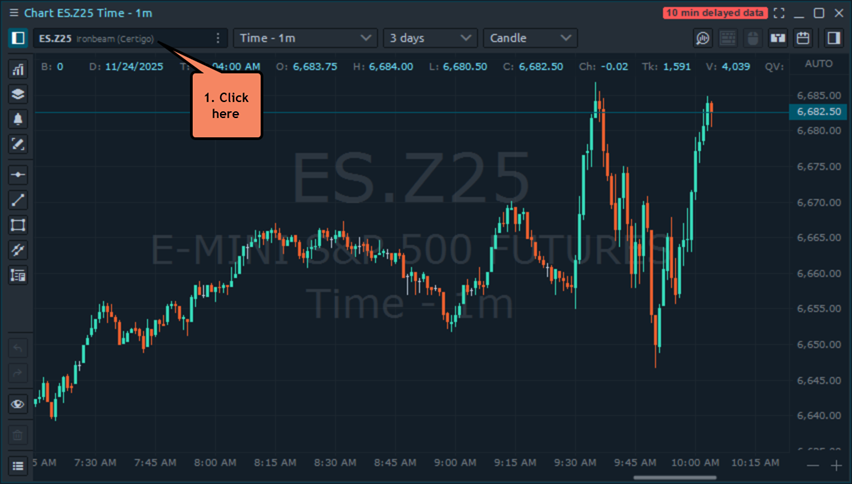
Once you connect to your live account in the initial menu that opens, in the top left of your chart, you need to click the dark bar to change your symbol (1):
Then open the symbol browser below and update your symbol (do not choose any symbols from “recent symbols” you need to go through the menu again and select a new one)
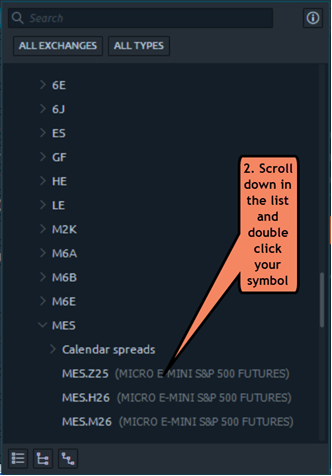
Once you double click your symbol (2) data should load. It’ll seem a bit redundant, as you need to re-add a similar symbol, but once you do the data should load in.
Please don’t choose any symbols under “recent symbols” or you may have the same issue.
Please keep in mind the CQG data feed uses a slightly different symbol format than what we offer for our free demo as well. For example, CQG will not have any “.” between the contract name and the contract expiration month/year. Also, some symbols on CQG have a different symbol entirely. For example, CQG’s symbol for the E-mini S&P 500 is EP (the exchange and most data feeds use ES). For the E-mini Nasdaq 100, CQG’s symbol is ENQ (the exchange and most data feeds use NQ).
Once you manually change and update the symbols on your workspace, watchlist and workspace your live data should begin to populate.
Thanks,
Optimus Futures Support